
Extract Web Data from URLs, right inside Google Sheets
Paste a list of website URLs, tell the add-on which columns you want, and let AI fill your spreadsheet automatically. No scraping code, no copy-paste, no leaving Google Sheets.
Available now on the Google Workspace Marketplace • Sign in with Google — no API key needed
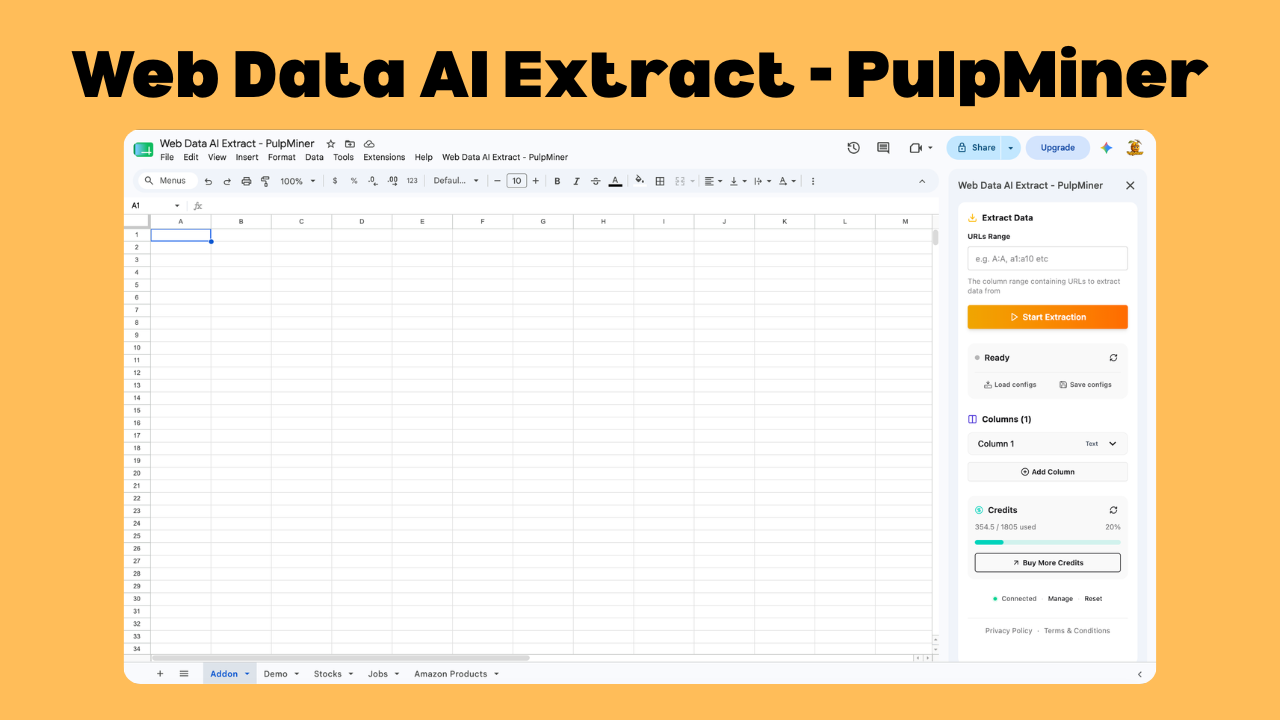
Turn URLs into Clean Columns
Collect structured data from hundreds of web pages without ever leaving your spreadsheet
Works Inside Sheets
Everything happens in a sidebar right inside Google Sheets. No new tools, no exporting, no context switching.
AI-Powered Extraction
Describe the columns you want and AI pulls the matching data from each URL — even from messy, dynamic pages.
Bulk URL Processing
Point the add-on at a whole column of URLs and extract data from all of them in a single run.
Custom Columns & Types
Define each column with a name, data type, and optional allowed values to keep your output consistent.
Save & Reuse Configs
Save your column setup and reload it later, so recurring extractions take seconds to run again.
Pay-As-You-Go Credits
Only pay for what you extract. Credits never expire and there are no monthly subscriptions.
Build These Spreadsheets in Minutes
A list of URLs plus a few column definitions is all you need
Product Catalogs
Extract product name, price, rating, and availability from a list of product pages.
💡 Turn 200 product URLs into a comparison sheet
Lead Enrichment
Pull company name, industry, and contact details from a list of company websites.
💡 Enrich your CRM export with one click
Content Monitoring
Grab titles, authors, and publish dates from articles and blog posts you follow.
💡 Build a content tracker from your sources
Real Estate Listings
Extract price, location, bedrooms, and status from property listing pages.
💡 Compare dozens of listings side by side
Market Research
Collect features, pricing tiers, and descriptions from competitor pages.
💡 Map the competitive landscape in a sheet
Directory Building
Extract names, categories, and links from directory and listing sites.
💡 Assemble a clean directory from raw URLs
Get Started in 3 Simple Steps
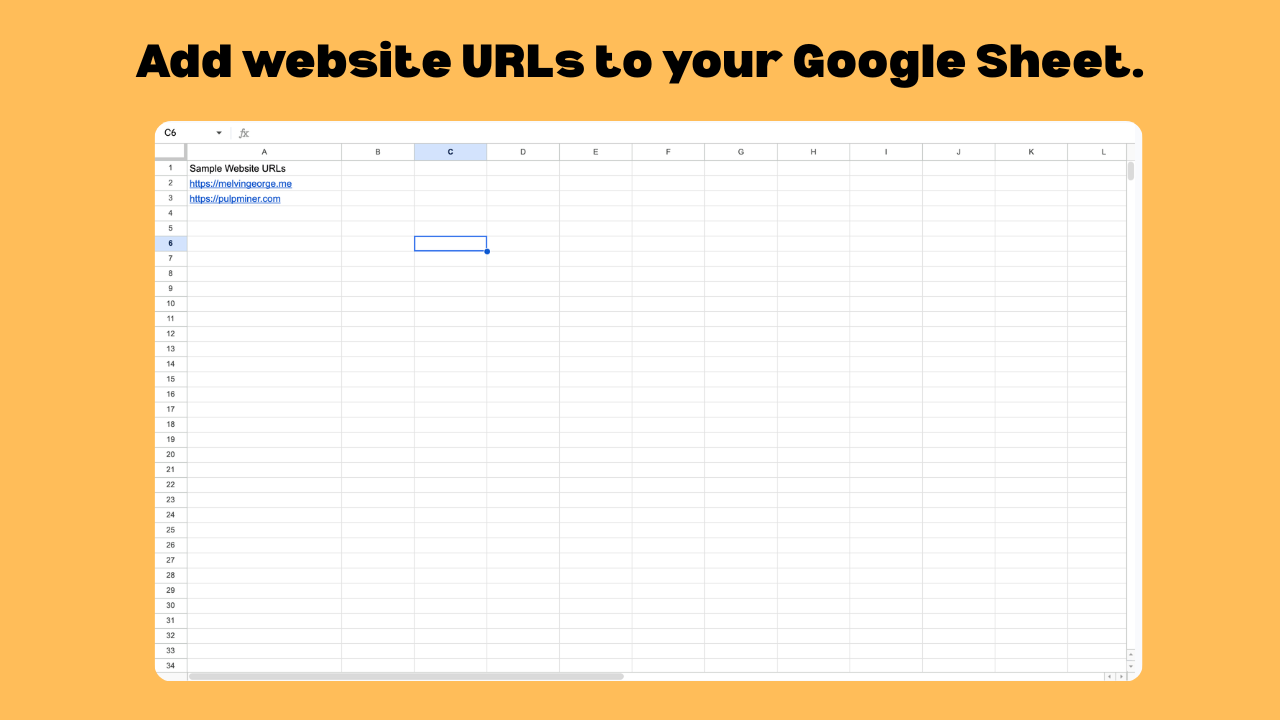
Add Your URLs
Paste the website URLs you want to extract data from into a column in your Google Sheet.
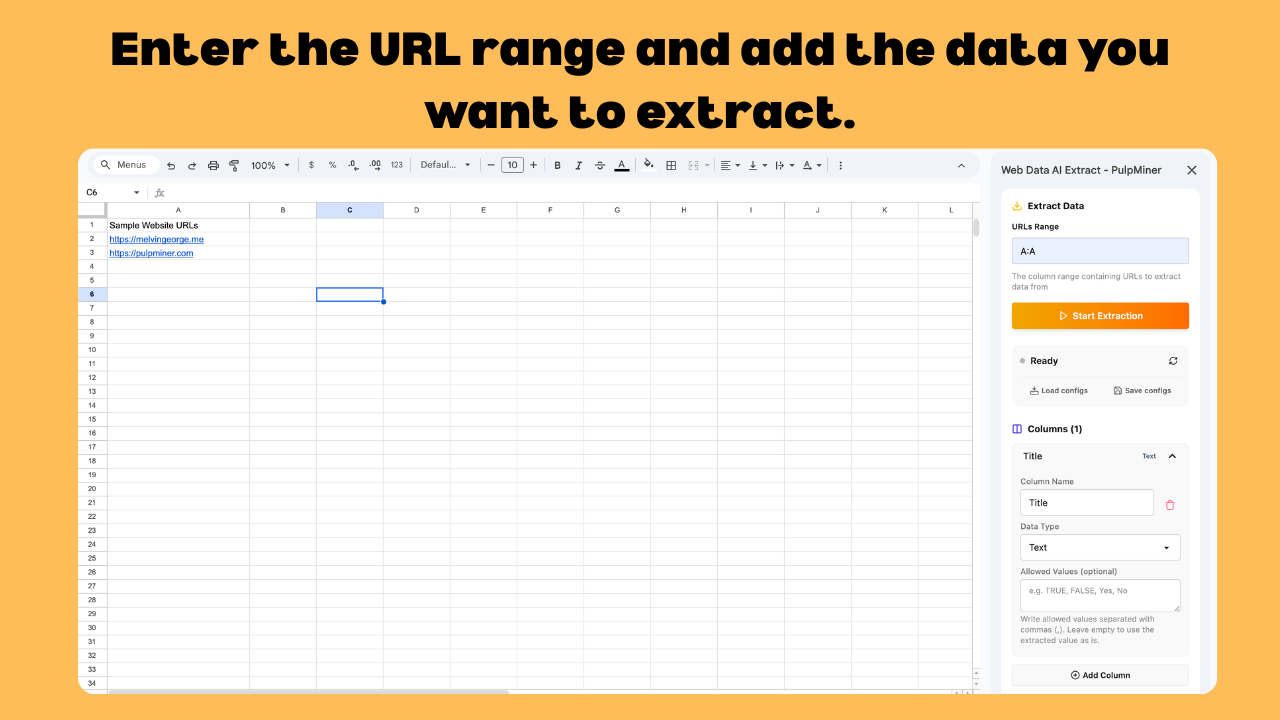
Define Your Columns
Enter the URL range and describe the data you want as columns — a name, a data type, and optional values.
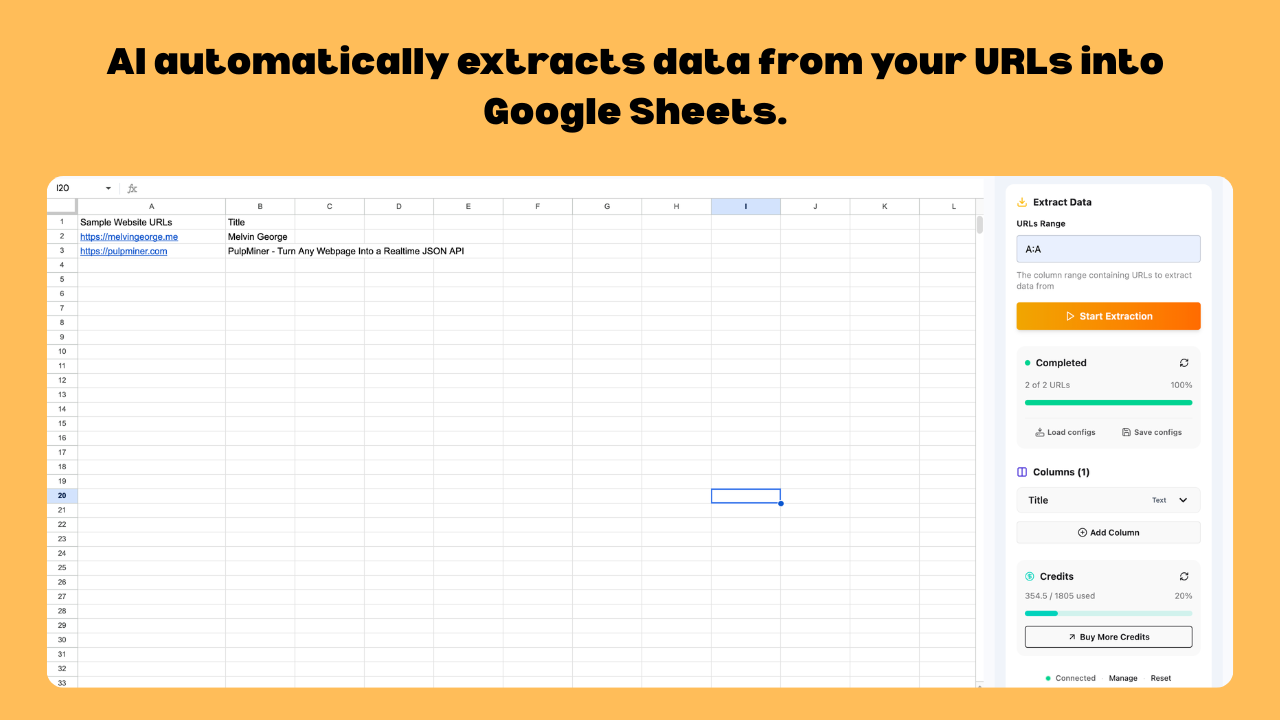
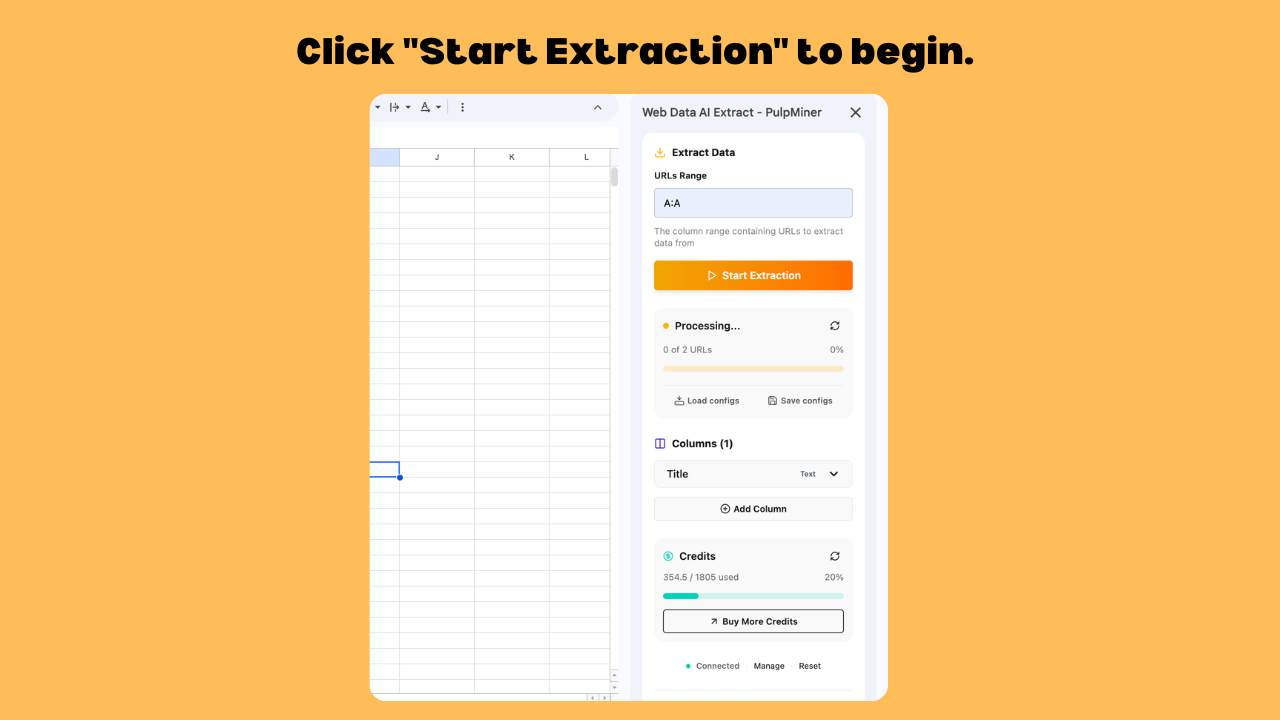
Start Extraction
Click Start Extraction and watch AI fill your sheet with structured data from every URL.
Pay Only for What You Extract
No monthly subscriptions. Credits never expire. Perfect for teams of all sizes.
🎁 What You Get
- AI-powered data extraction
- Bulk processing of URL lists
- Custom columns with data types
- Save and reload extraction configs
- Results written straight to Sheets
- Credits that never expire
💳 Pricing
per credit
Uptime Guarantee
Cities via Cloudflare
Always Available
Step-by-step: Extract web data in Google Sheets
Follow these screenshots to run your first extraction.
Stop Copy-Pasting Data. Start Extracting.
The Web Data AI Extract add-on is available now on the Google Workspace Marketplace. Turn any list of URLs into a structured spreadsheet in minutes — no credit card required.
Used by Teams Worldwide
From startups to enterprise
99.99% Uptime
Powered by Cloudflare
Secure & Private
Your data stays safe