
Turn Any Webpage Into JSON Data for n8n Workflows
Skip complex scraping code. Convert any webpage into structured JSON APIs and use them directly in your n8n automation workflows with our community node.
Free to try • No credit card required • Setup in under 5 minutes
No More Complex Scraping Code
Automate web data collection in your n8n workflows without writing a single line of scraping code
Instant Integration
Install the PulpMiner node and start using web data in your workflows. No custom scripts needed.
AI-Powered Extraction
Automatically structure web data into clean JSON. Our AI handles complex websites with dynamic content.
Real-Time Data
Fetch fresh data from websites on every workflow execution, or use cached data for speed.
Secure & Reliable
Built on Cloudflare infrastructure with 99.99% uptime. Your data stays secure.
Pay-As-You-Go
Only pay for what you use. Credits never expire. No monthly subscriptions.
Any Website Works
Extract data from e-commerce sites, news pages, directories, or any public webpage.
Automate These Tasks with n8n
See how teams use PulpMiner in their n8n workflows to automate data collection
Price Monitoring
Track competitor prices and get alerts in Slack when prices drop. Perfect for procurement automation.
💡 Monitor 100+ products automatically every hour
Content Aggregation
Collect news articles, blog posts, and updates from multiple sources into your content database.
💡 Build your own news feed from preferred sources
Lead Generation
Extract contact info from directory sites, company listings, and social profiles for your CRM.
💡 Qualify leads from LinkedIn, industry directories
Market Research
Track product launches, feature updates, and market trends from competitor websites.
💡 Stay ahead of competitor product releases
Real Estate Automation
Monitor property listings, prices, and availability. Send new listings to buyers automatically.
💡 Get instant Slack notifications for new properties
Course Tracking
Watch for new courses, enrollment dates, and price changes on learning platforms.
💡 Never miss enrollment deadlines
Get Started in 3 Simple Steps
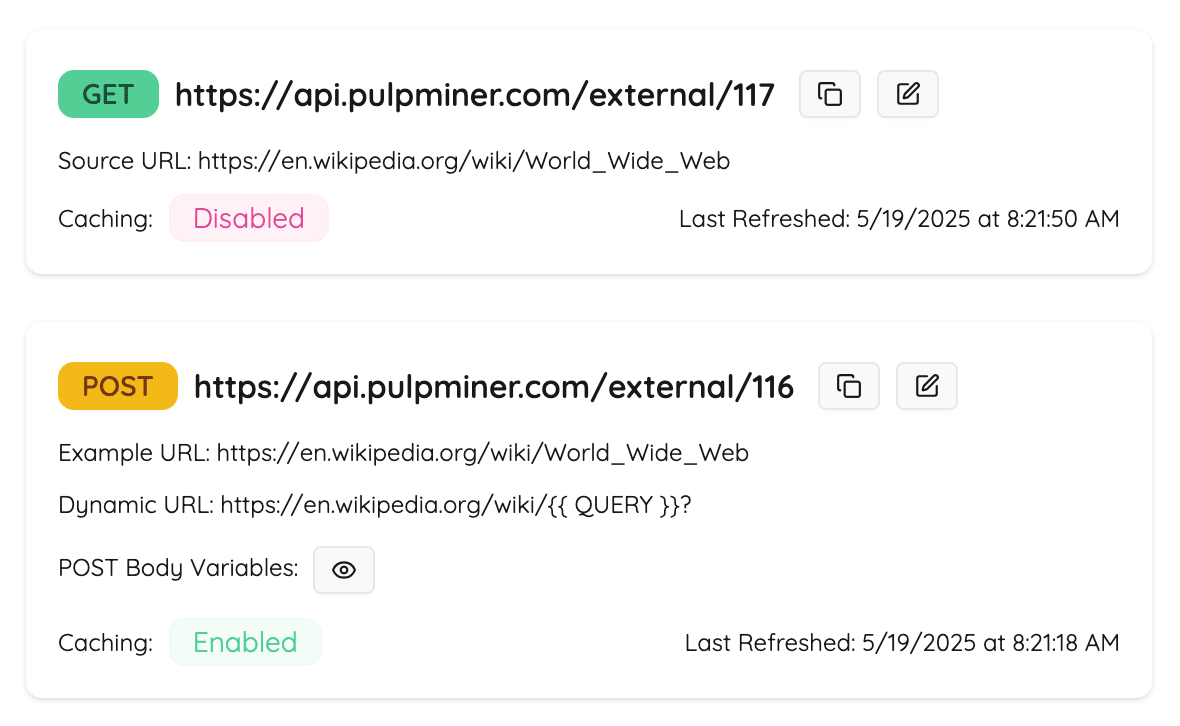
Create Your API
Enter any webpage URL on PulpMiner. Our AI extracts and structures the data into clean JSON.
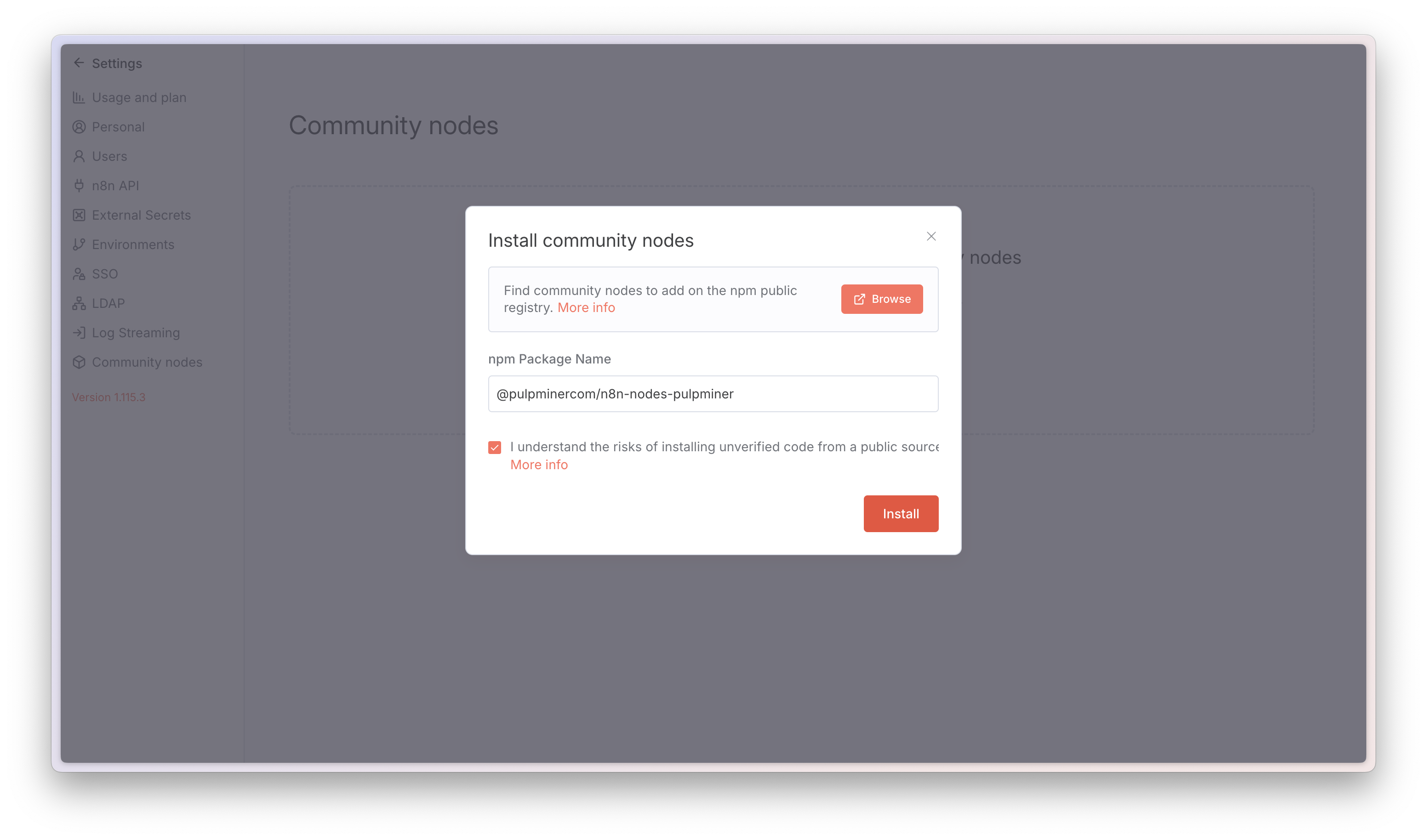
Install n8n Node
Add the PulpMiner community node to your n8n instance. Simple one-click installation.
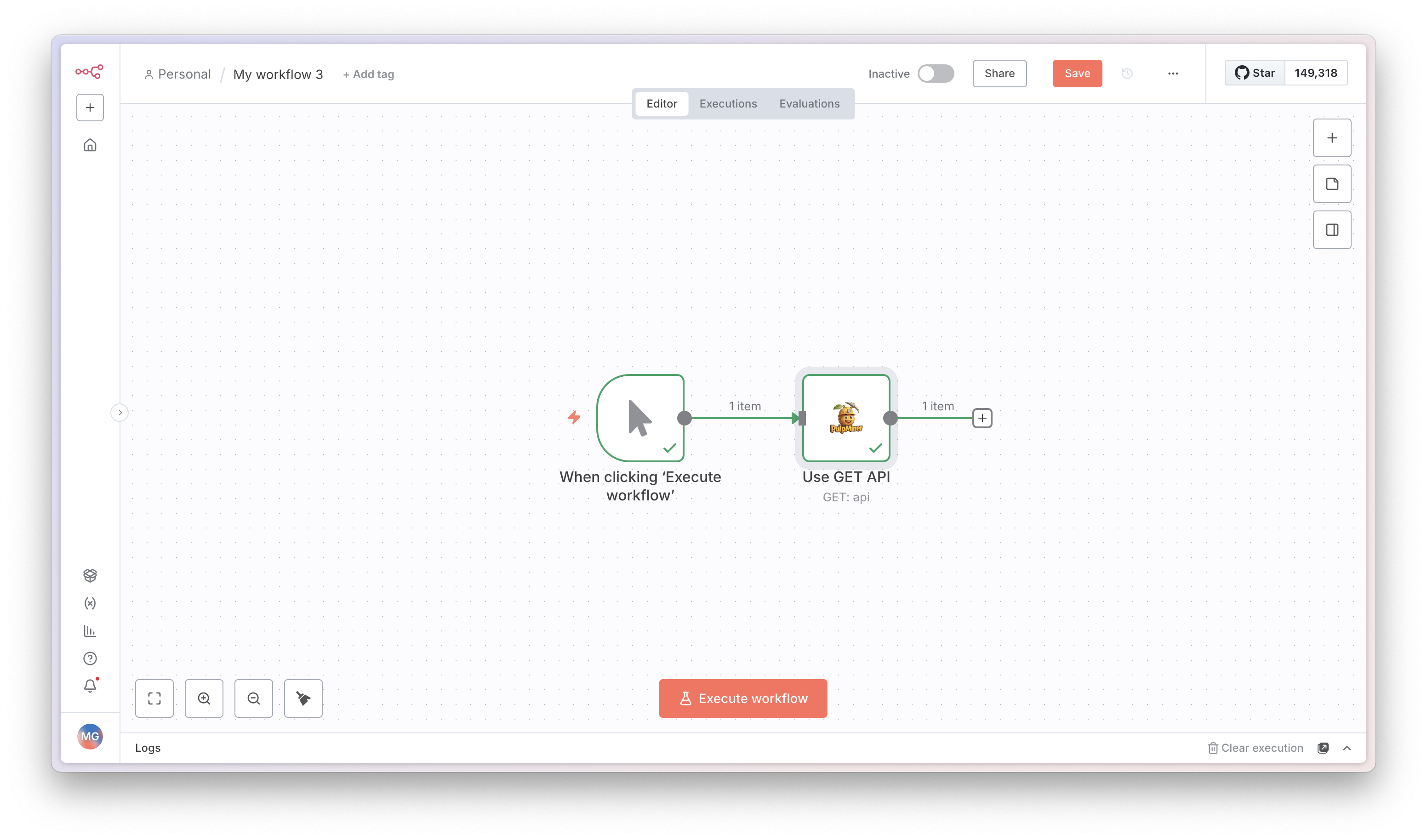
Automate Your Workflows
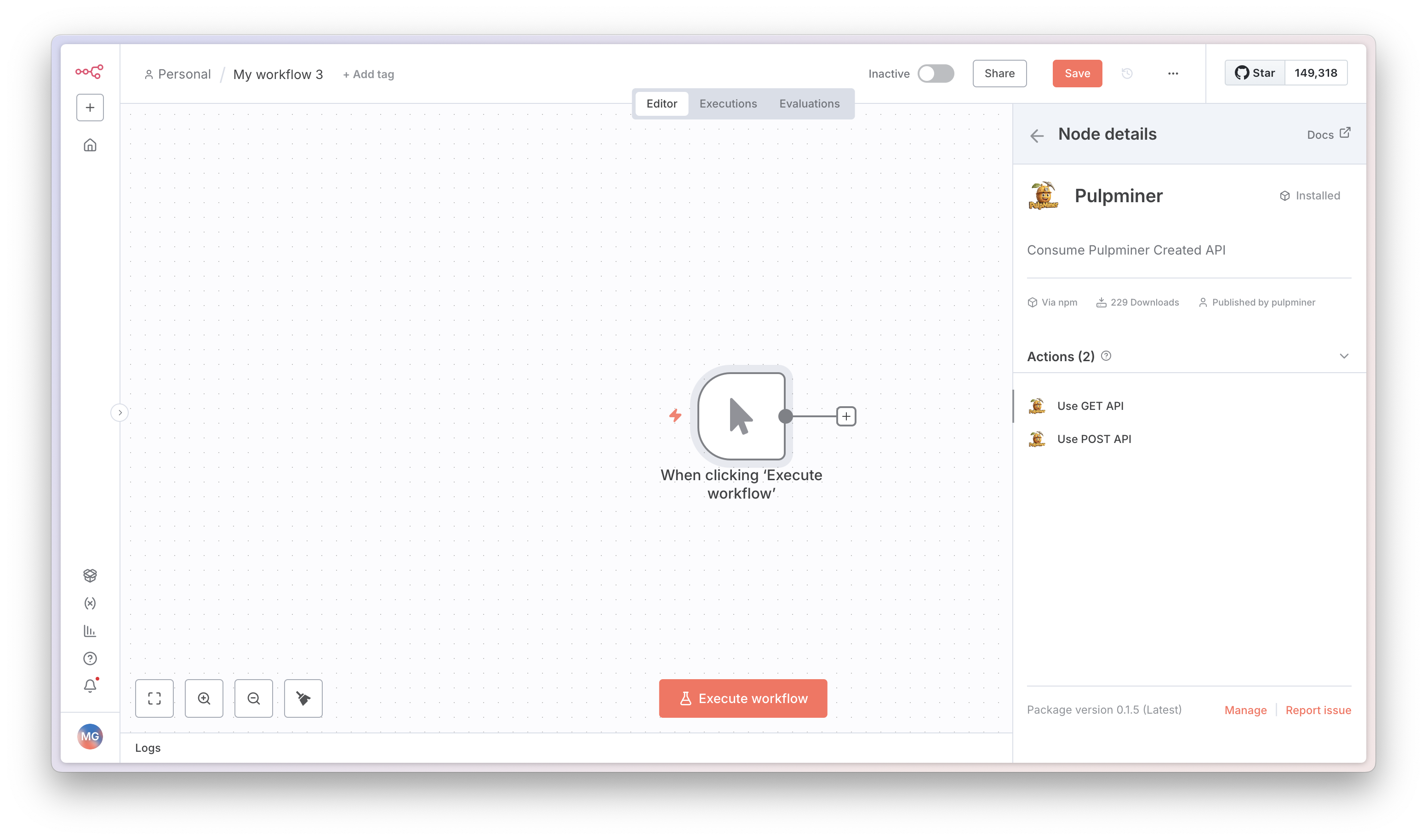
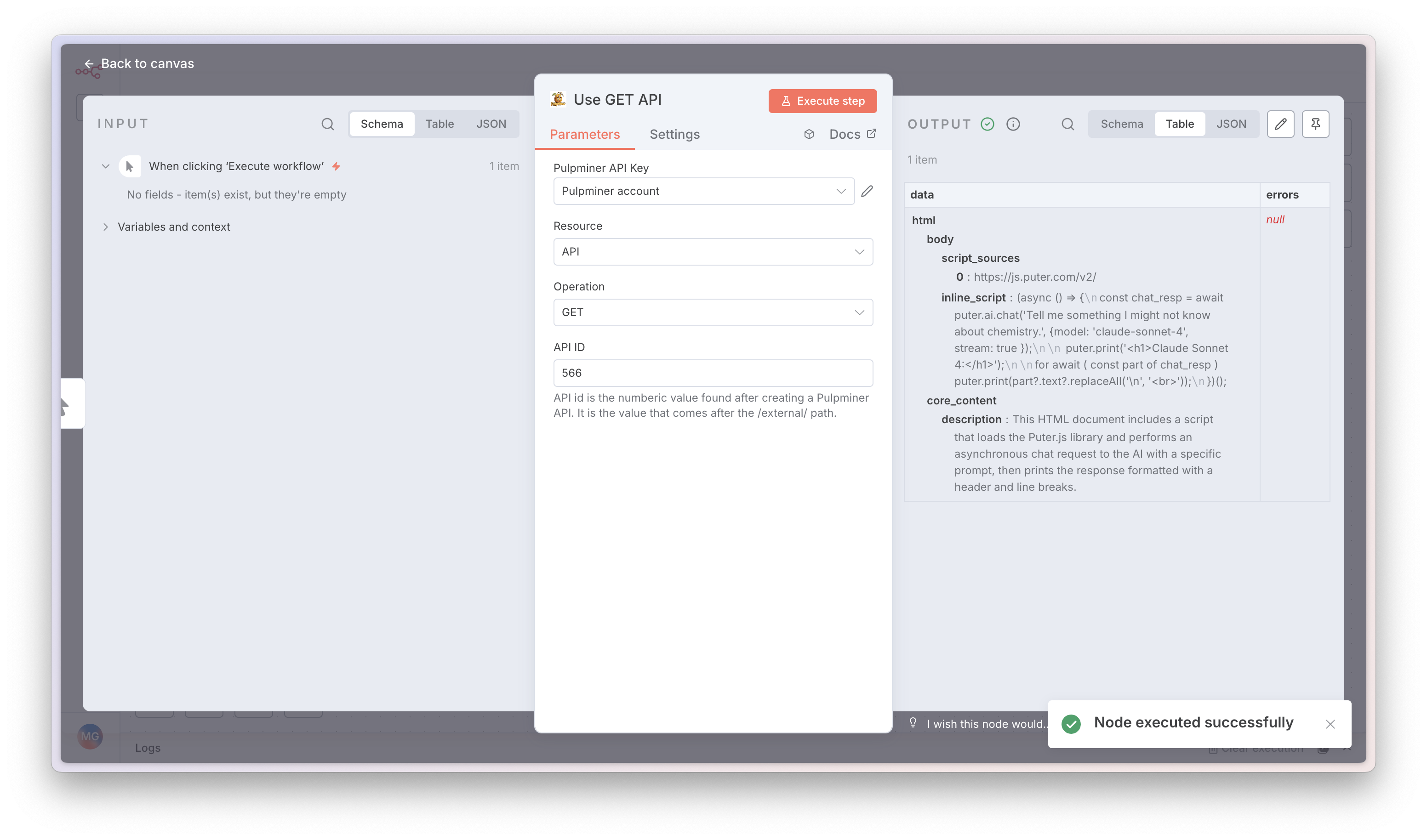
Add the PulpMiner node to any workflow. Get fresh JSON data from websites automatically.
Pay Only for What You Use
No monthly subscriptions. Credits never expire. Perfect for teams of all sizes.
🎁 What You Get
- AI-powered JSON extraction
- Real-time or cached data
- Secure API endpoints
- Dynamic URL parameters
- JavaScript rendering support
- 99.99% uptime guarantee
💳 Pricing
per credit
Uptime Guarantee
Cities via Cloudflare
Always Available
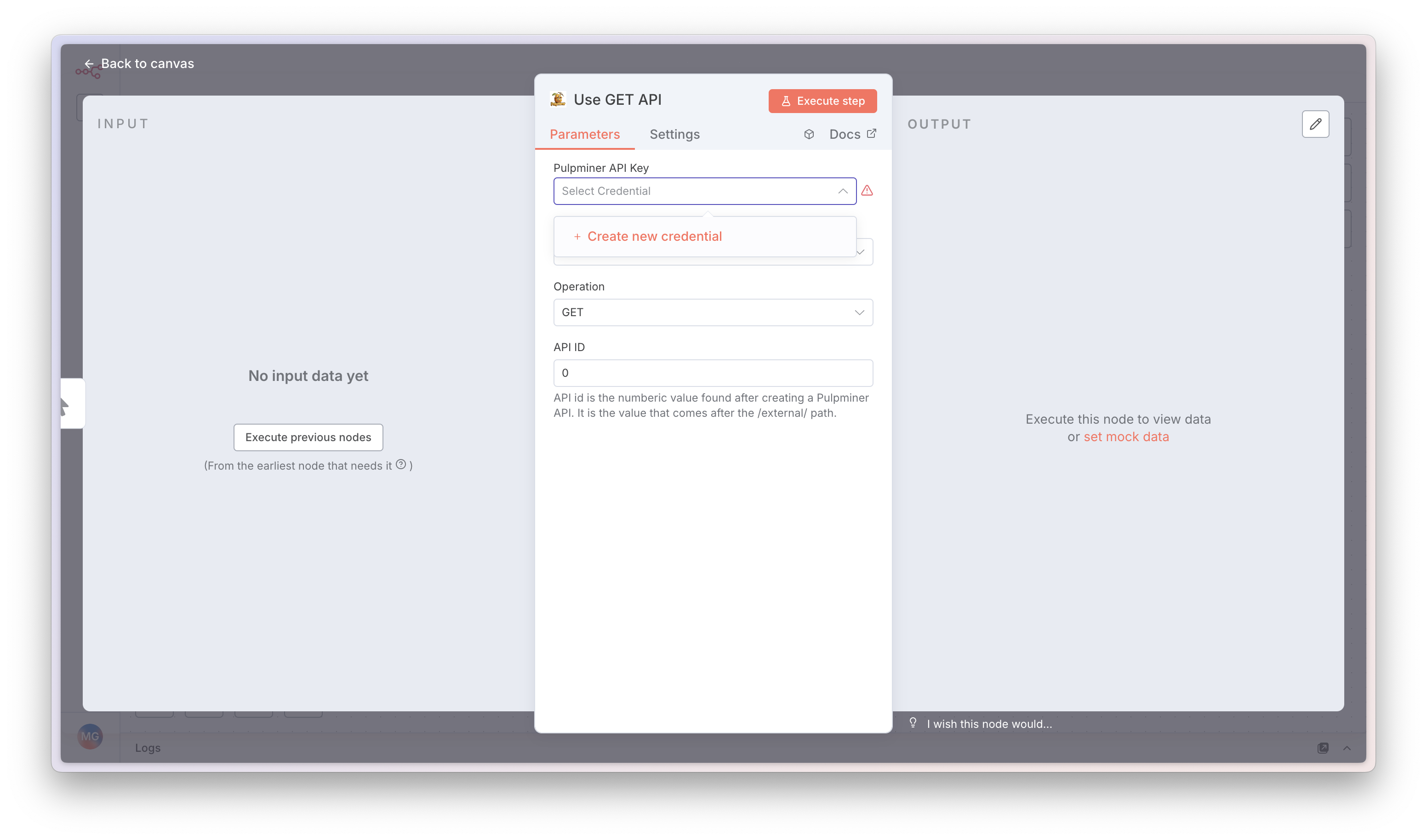
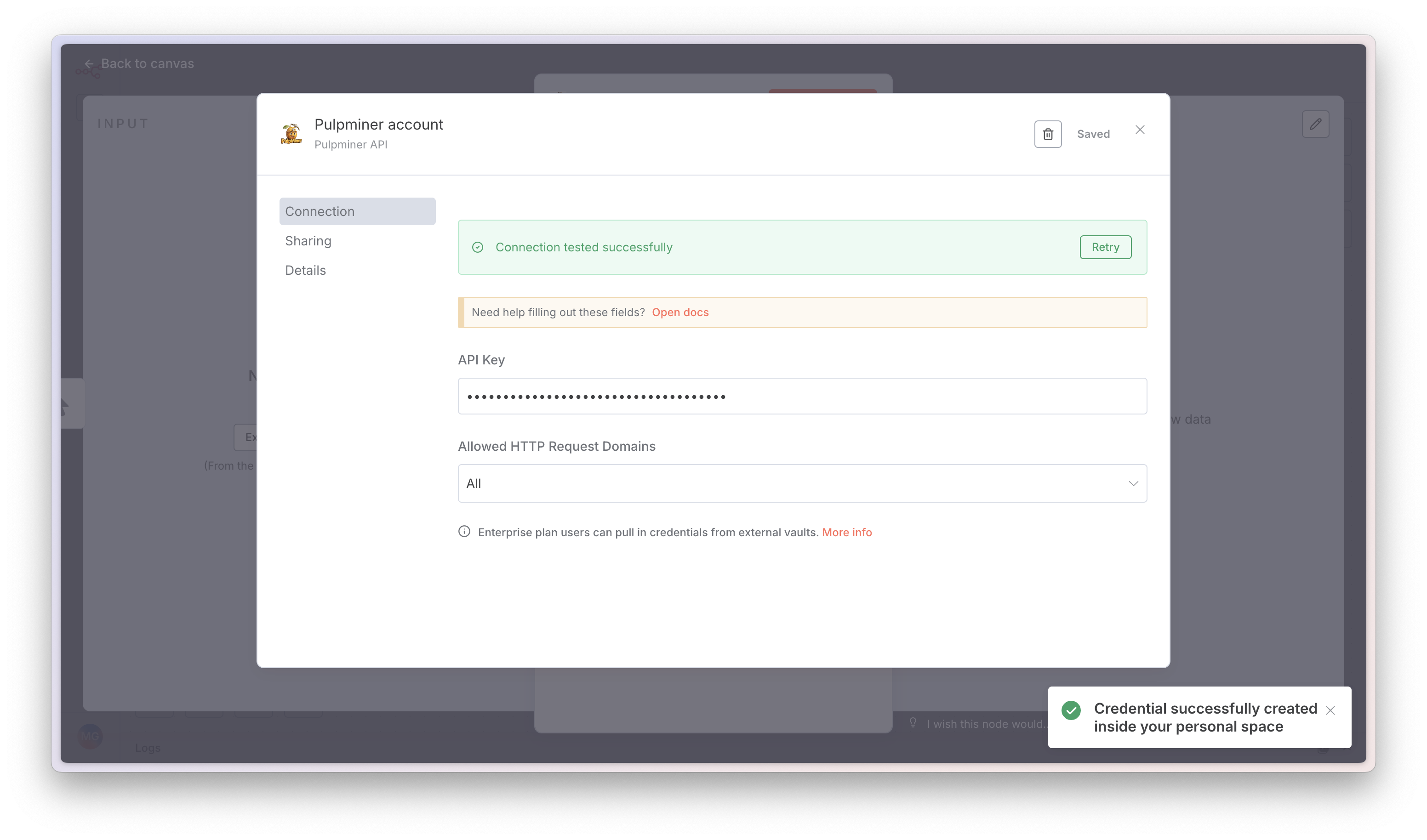
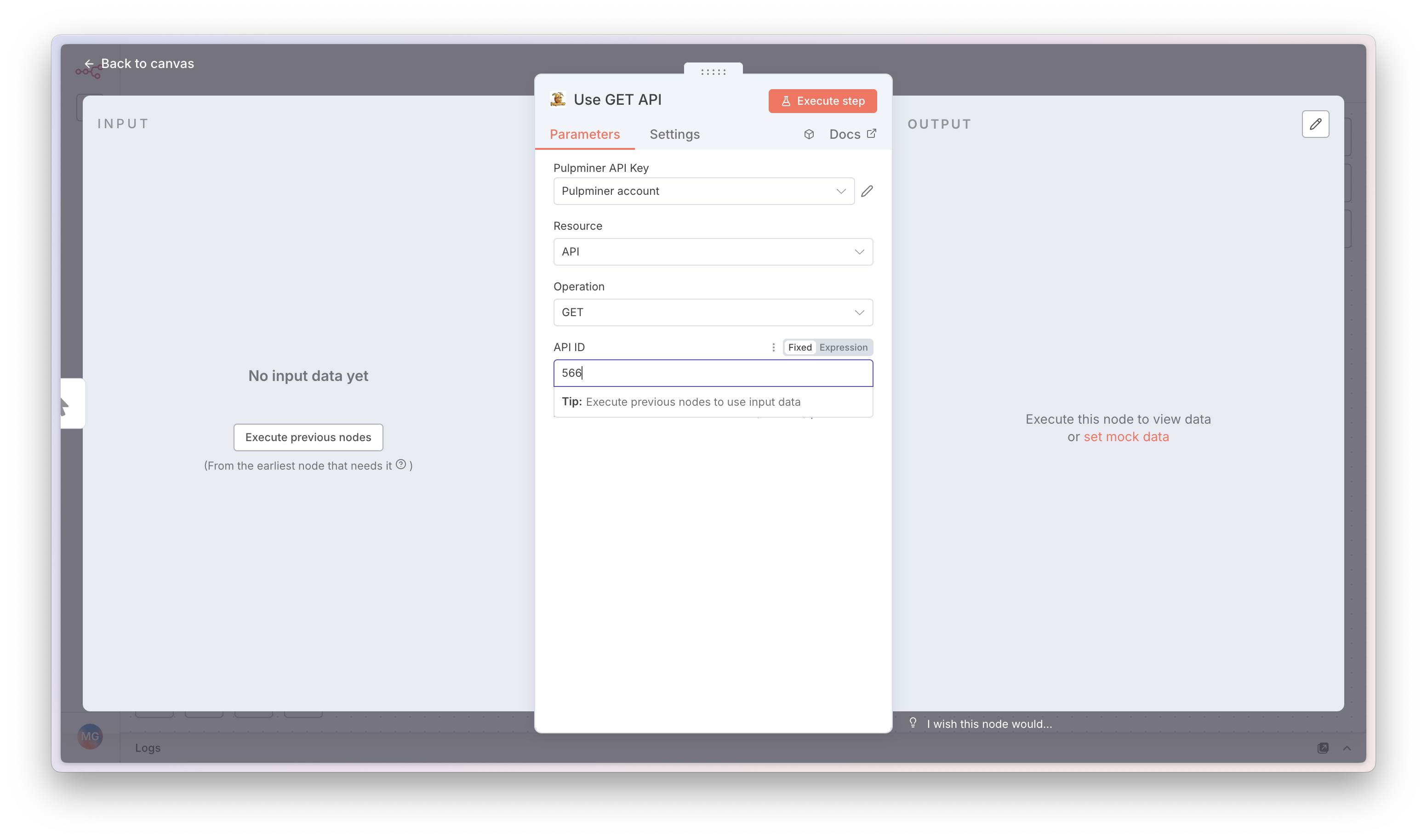
Step-by-step: Add PulpMiner to n8n
Follow these screenshots to install and use the node.
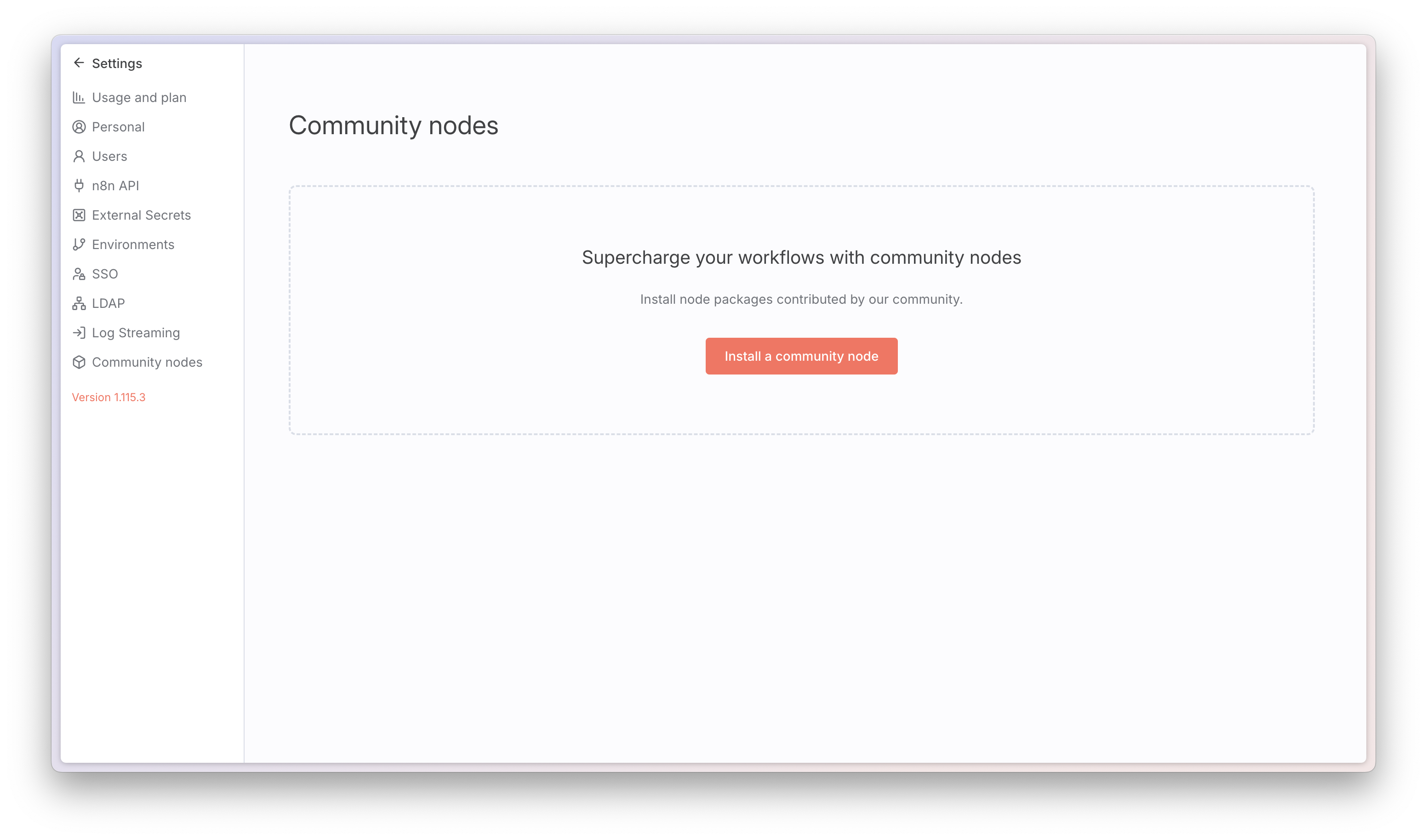
@pulpminercom/n8n-nodes-pulpminer and install.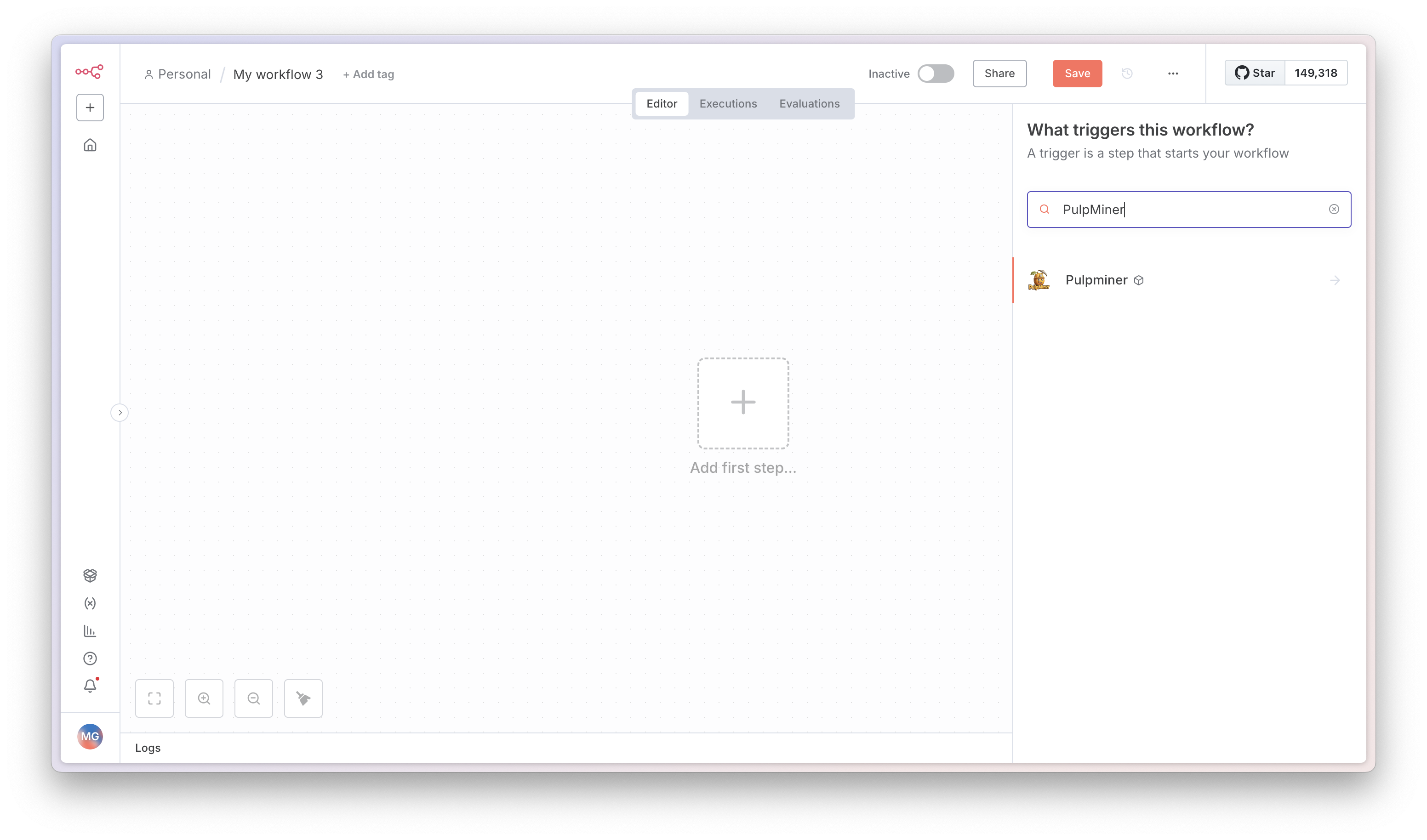
Stop Writing Scraping Code. Start Automating.
Join teams who automate web data collection with PulpMiner. Get started in under 5 minutes—no credit card required.
n8n node: @pulpminercom/n8n-nodes-pulpminer
Used by Teams Worldwide
From startups to enterprise
99.99% Uptime
Powered by Cloudflare
Secure & Private
Your data stays safe